> For the complete documentation index, see [llms.txt](https://docs.thoth.id/llms.txt). Markdown versions of documentation pages are available by appending `.md` to page URLs; this page is available as [Markdown](https://docs.thoth.id/web-app/search.md).
# Search for a Name
Find out whether a name is available, registered, expired or not supported.
Search tells you whether a name is free, what it costs, or who already holds it. You do **not** need a connected wallet to search.
There are three places to search:
* The **search page** at **/search**.
* The **hero** on the landing page.
* The **search box in the top bar**. Press / anywhere to jump to it. On a phone, tap the magnifying glass.

## Searching
Start typing. The result appears **as you type**, no need to press Enter. You can leave the `.htr` suffix off: `satoshi` and `satoshi.htr` are the same query. Input is lowercased and trimmed, so `Satoshi` still finds `satoshi.htr`.
The line under the field sums up the rules: lowercase letters, numbers and single hyphens, 3 to 80 characters. The full rules are in [Naming Rules & Fees](/web-app/naming-rules-and-fees.md#what-makes-a-valid-name).
The search term is kept in the URL (`/search?q=satoshi`), so a result is a link you can bookmark or send to somebody.
## Reading the result
You get one result row, with one of these status pills.
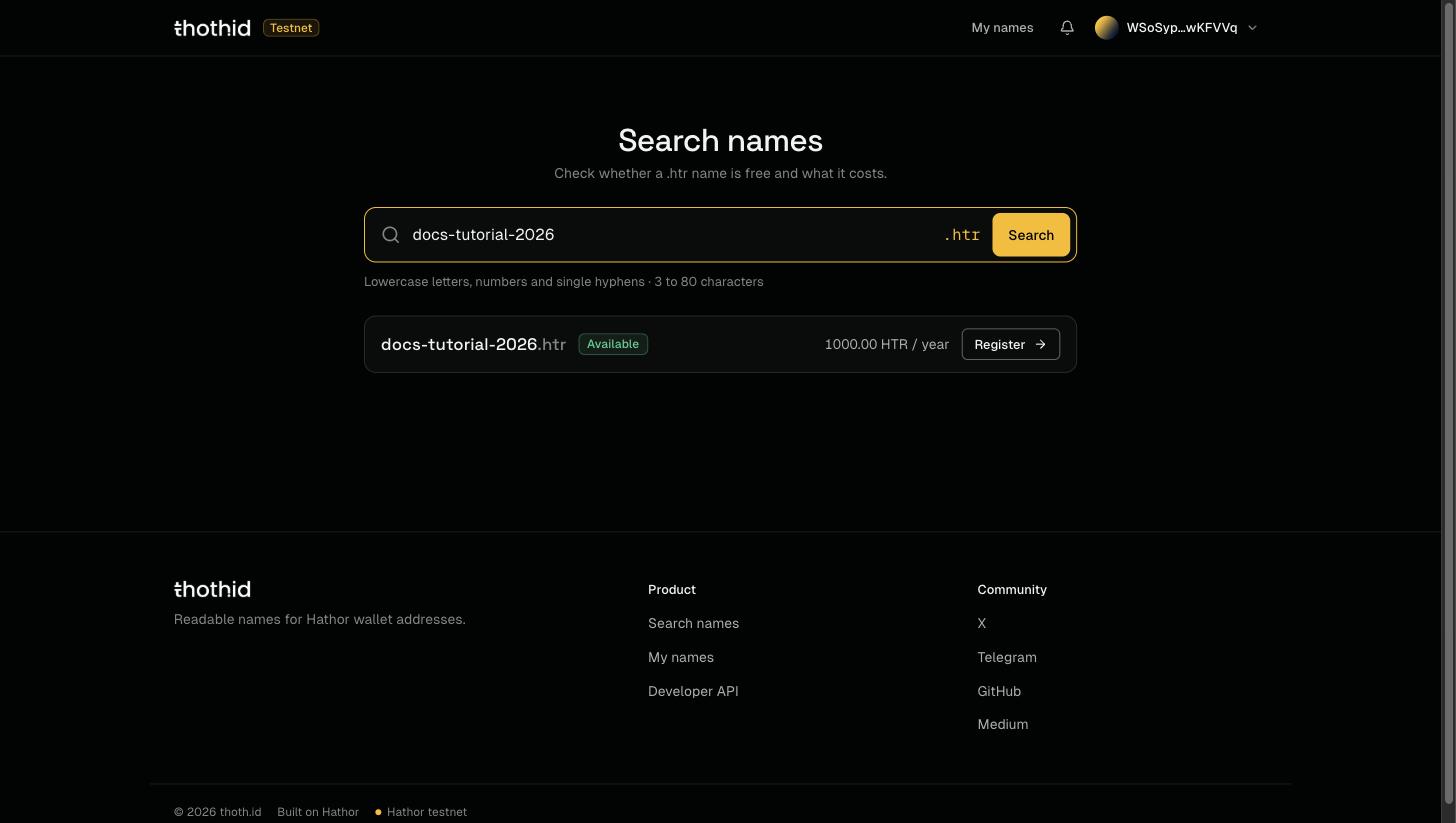
### Available
Nobody holds this name. The row shows its price per year and a **Register** button that takes you to [registration](/web-app/register.md).
### Registered
Somebody already holds it. The row shows when it expires and a **View profile** button that opens its [public page](/web-app/domain-page.md).

A registered name is not taken forever. Names expire, and once the [renewal window](/web-app/naming-rules-and-fees.md#expiry-and-the-renewal-window) is over, the name becomes available again.
### Expired
The name has expired but is still in its **renewal window**. The row shows the date the window ends. Until then only a renewal is possible; after that, anyone can register it.
### Not supported
The name breaks the naming rules. The row says exactly what's wrong (for example *Spaces aren't allowed.* or *Use lowercase letters.*) and, when it can, suggests a valid name close to what you typed. Click the suggestion to search for it.
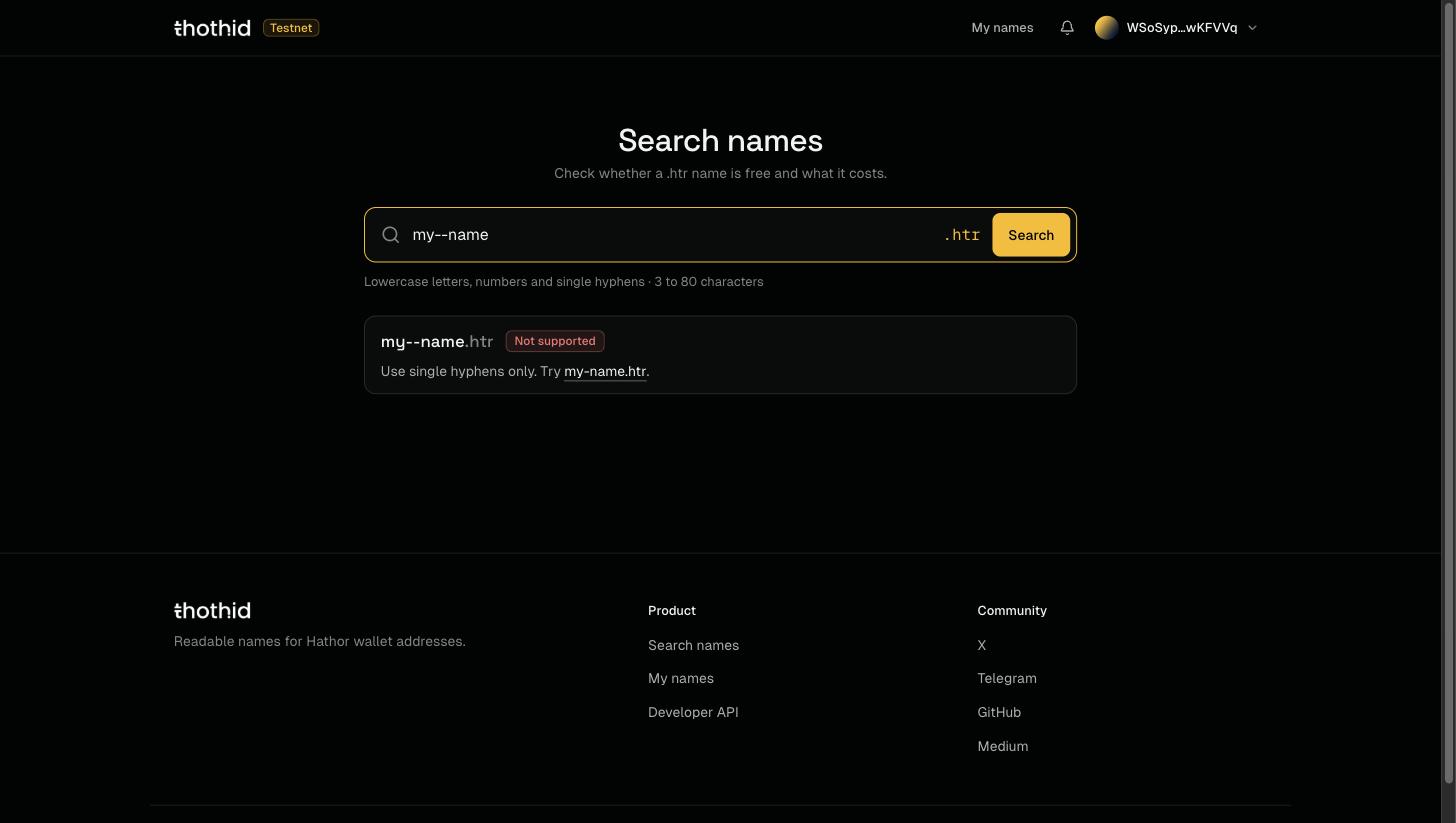
In the example above, `my--name` is rejected because thoth.id doesn't allow two hyphens in a row, and the app suggests `my-name` instead.
### Couldn't check
The app couldn't reach the Hathor node, so it doesn't know yet. This is **not** the same as *Not supported*. Click **Try again**.
---
# Agent Instructions
This documentation is published with GitBook. GitBook is the documentation platform designed so that both humans and AI agents can read, navigate, and reason over technical content effectively. Learn more at gitbook.com.
## Querying This Documentation
If you need additional information that is not directly available in this page, you can query the documentation by asking a question.
Perform an HTTP GET request on the following URL with the `ask` and `goal` query parameters:
```
GET https://docs.thoth.id/web-app/search.md?ask=&goal=
```
`ask` is the immediate question: it should be specific, self-contained, and written in natural language.
`goal` is what the user is ultimately trying to achieve, the reason they need the answer. Sharing it helps GitBook give you a better, more relevant answer. A goal is most helpful when it describes the outcome the user wants rather than restating the question. For example, with `ask=how do I create an API token`, a goal like `automate deployments from our CI pipeline` lets GitBook tailor the answer to that use case.
The response will contain a direct answer to the question and relevant excerpts and sources from the documentation.
Use this mechanism when the answer is not explicitly present in the current page, you need clarification or additional context, or you want to retrieve related documentation sections.